How to Improve Local Services Ads Performance
How to Improve Local Services Ads Performance Outside the Ad Account Improving Local Services Ads performance is not only about changing bids, budgets, or settings inside Google Ads. For many service businesses, the bigger opportunity is outside the ad account: the website, Google Business Profile, photos, reviews, service pages, and the way leads are handled […]
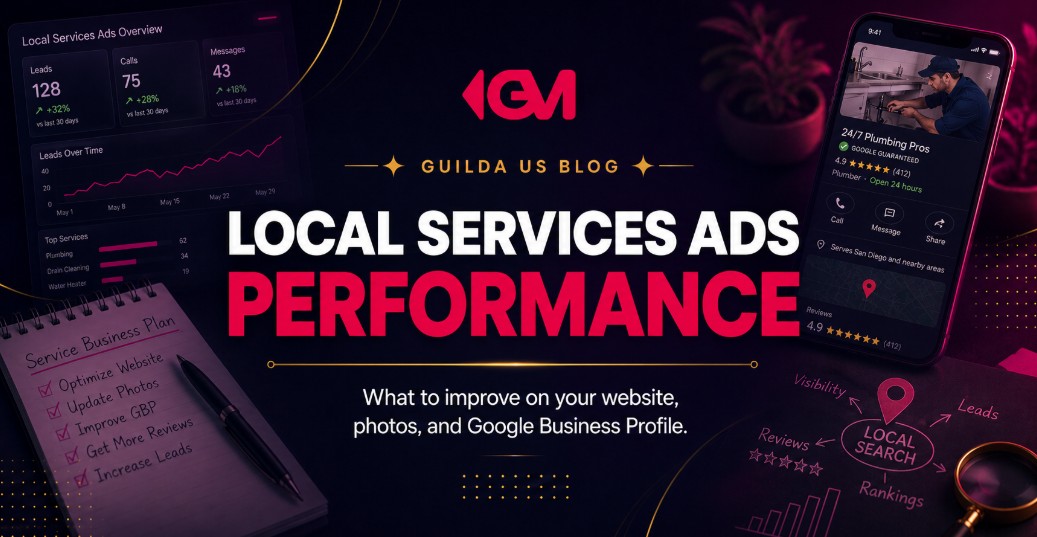
How to Improve Local Services Ads Performance Outside the Ad Account
Improving Local Services Ads performance is not only about changing bids, budgets, or settings inside Google Ads. For many service businesses, the bigger opportunity is outside the ad account: the website, Google Business Profile, photos, reviews, service pages, and the way leads are handled after they come in.
That matters because Local Services Ads often appear when someone is close to taking action. They may need a roofer, plumber, HVAC company, attorney, cleaning service, remodeler, or local professional soon. But even when the ad gets visibility, the customer still compares credibility before calling, messaging, or booking.
The real question is not only, “How do we make the ad show more?” It is, “When we show up, do we look trustworthy enough to earn the lead?”
Local Services Ads perform better when the ad, website, photos, reviews, and Google Business Profile all tell the same trustworthy story.
Why Local Services Ads Performance Is Not Just an Account Setting
There are account-side factors in Local Services Ads, such as budget, bidding strategy, service categories, job types, business hours, and service areas. Those matter. But they do not solve the entire problem.
A business can have the right categories selected and still lose leads if its public presence feels weak. A customer may see the ad, check the profile, compare reviews, look at photos, visit the website, and choose a competitor that feels more established.
This is especially common for service-area businesses. The customer is not buying a small product. They may be inviting someone into their home, asking for a quote, trusting a contractor, scheduling a repair, or comparing professionals for a high-consideration decision.
That means performance depends on more than ad visibility. It depends on trust density, how many credible signals a potential customer sees before deciding to contact you.
What Impacts Local Services Ads Performance Beyond the Dashboard?
The strongest Local Services Ads strategy connects paid visibility with local SEO, website conversion, Google Business Profile optimization, review management, and lead handling. Each part supports the customer’s decision.
| Performance Area | Why It Matters | What to Improve |
|---|---|---|
| Website trust | Customers often verify the business before calling. | Service pages, proof, reviews, photos, clear calls to action. |
| Google Business Profile | It supports local credibility and business information consistency. | Categories, services, hours, service area, photos, review responses. |
| Photos | They help customers understand who they are hiring. | Team, work, equipment, vehicles, office, jobsite, finished projects. |
| Reviews | They influence trust before a lead contacts the business. | Request reviews consistently and respond professionally. |
| Lead response | Missed calls and slow replies reduce the value of paid visibility. | Call process, CRM, notifications, follow-up, booking flow. |
How Your Website Can Improve Local Services Ads Performance
Your website may not be the first thing a customer sees in Local Services Ads, but it often becomes part of the decision. A potential customer may click your profile, search your business name, open your website, compare your service pages, and look for proof that you are legitimate.
A weak website creates hesitation. It makes the customer wonder if the business is active, professional, responsive, or experienced enough for the job.
Build service pages that match what people search for
If your Local Services Ads promote HVAC repair, bathroom remodeling, roof replacement, or legal consultations, your website should have specific pages that explain those services clearly. A generic “Services” page forces the visitor to work too hard.
Strong service pages usually include:
- The exact service being offered.
- Who the service is for.
- Common problems the customer may be facing.
- Clear service area information.
- Photos of real work, team, location, or process where appropriate.
- Reviews, trust signals, licenses, certifications, or professional credentials when relevant.
- A simple call to action, such as call, request a quote, schedule, or send a message.
Make the next step obvious on mobile
Local Services Ads traffic is often high-intent and mobile-heavy. If a visitor lands on your website and has to pinch, scroll, hunt for a phone number, or decode a vague contact form, you are adding friction at the worst moment.
The website should make the next action easy. Phone numbers should be visible. Forms should be short. Service areas should be clear. The visitor should know within seconds whether your business can help them.
Photos Are Not Decoration, They Are Trust Signals
Photos can make a local service business feel more real. They show the customer who is behind the business, what kind of work is performed, what equipment is used, and whether the company looks active and professional.
For many businesses, this is an underused advantage. They upload a logo, one generic image, or an outdated storefront photo and stop there. That does not help the customer picture the service experience.
What kinds of photos should a service business use?
- Team photos: Help customers see the people behind the business.
- Project photos: Show the kind of work the company actually performs.
- Vehicle or equipment photos: Reinforce professionalism for home services and service-area businesses.
- Office or storefront photos: Support credibility for local businesses with a physical location.
- Before and after photos: Useful for remodeling, landscaping, cleaning, restoration, and similar services when accurate and policy-compliant.
The goal is not to look artificially polished. The goal is to look real, capable, and trustworthy. Clear, well-lit, current photos often do more for confidence than generic stock images.
Your Google Business Profile Should Match the Promise of the Ad
Your Google Business Profile is not separate from your local lead generation system. It is one of the main places where customers validate your business before deciding to contact you.
If your Local Services Ads say one thing, your website says another, and your Google Business Profile is incomplete, the customer receives mixed signals. That can weaken trust even when the ad itself is visible.
Key Google Business Profile areas to review
- Business name: Keep it accurate and consistent with your real brand.
- Primary category: Choose the category that best represents your main service.
- Secondary categories: Add relevant categories without forcing unrelated services.
- Services: Make sure the services listed match what customers are searching for.
- Business hours: Keep them accurate, especially if lead response depends on availability.
- Service area: Align your service area with the actual locations you serve.
- Photos: Keep them current, clear, and relevant to your work.
- Reviews: Respond professionally and build a consistent review process.
A complete profile does not guarantee better results by itself. But an incomplete or inconsistent profile can make every marketing channel work harder than it should.
Reviews Can Support Both Visibility and Closing Power
Reviews are not just a reputation asset. They are part of how customers compare local service providers. A business with stronger review quality, recent feedback, and professional responses often feels safer than a business with outdated or inconsistent reviews.
The mistake is treating review generation as something random. Waiting for customers to leave reviews on their own usually creates uneven results.
A simple review process for service businesses
- Ask for the review shortly after a successful service experience.
- Make the request simple and direct.
- Use a consistent internal process so the team knows when to ask.
- Respond to reviews with professionalism, not copy-and-paste replies.
- Look for patterns in reviews that reveal what customers value most.
The best reviews often contain language future customers care about: punctuality, communication, cleanliness, pricing clarity, emergency response, professionalism, quality of work, or ease of scheduling.
Weak vs Strong Local Services Ads Support System
| Weak Approach | Stronger Approach |
|---|---|
| Only adjusting budget and waiting for more leads. | Improving budget, profile quality, reviews, photos, website trust, and follow-up together. |
| Using generic stock photos. | Uploading real photos of team, work, equipment, service area, or location. |
| Sending all website visitors to a vague homepage. | Creating clear service pages that match customer intent. |
| Asking for reviews only when someone remembers. | Building a repeatable review request process after completed jobs. |
| Letting calls go unanswered. | Creating a lead response process with clear ownership and follow-up. |
A Practical Local Services Ads Performance Checklist
Before assuming the ad account is the problem, review the full customer journey. This checklist helps identify where trust or conversion may be breaking down.
Website checklist
- Does each core service have its own page?
- Is the phone number visible on mobile?
- Is the contact form short and easy to complete?
- Does the site explain service areas clearly?
- Are reviews, credentials, photos, or trust signals easy to find?
- Does the page load quickly enough for mobile visitors?
Google Business Profile checklist
- Is the profile verified and public?
- Are categories accurate?
- Are services complete and aligned with the ads?
- Are hours accurate?
- Are photos recent and relevant?
- Are reviews being answered professionally?
Lead handling checklist
- Who answers calls from Local Services Ads?
- What happens when a call is missed?
- Are leads tracked in a CRM or organized system?
- How quickly are messages answered?
- Can the team identify which leads became booked jobs?
What Not to Do When Local Services Ads Are Underperforming
When results feel inconsistent, many businesses react by changing too many things at once. They raise the budget, change service areas, rewrite profile details, pause campaigns, restart them, and still do not know what fixed or damaged performance.
Avoid these common mistakes:
- Do not use fake reviews or review incentives that violate platform rules.
- Do not upload misleading photos that do not represent the real business.
- Do not target services you cannot actually perform well.
- Do not send customers to a slow or confusing website.
- Do not ignore missed calls and then blame only the ad platform.
- Do not treat Google Business Profile, SEO, ads, and reviews as separate projects.
The better approach is to diagnose the system. Visibility, trust, conversion, and follow-up all affect how much value the business gets from Local Services Ads.
A Simple Framework to Improve Local Services Ads Performance
If you want a practical way to improve performance, use this four-part framework: visibility, credibility, conversion, and response.
1. Visibility
Make sure the account targets the right services, categories, job types, locations, and business hours. This is the foundation, but not the full strategy.
2. Credibility
Strengthen reviews, photos, business information, service descriptions, and profile consistency. The customer should feel that your company is real, active, and reliable.
3. Conversion
Improve the website and landing experience so interested visitors can quickly understand your services and contact you without friction.
4. Response
Treat every valid lead like a time-sensitive opportunity. Fast response, organized follow-up, and clear scheduling can make paid lead generation more measurable.
FAQ About Improving Local Services Ads Performance
Can my website affect Local Services Ads results?
Yes, indirectly. The website may not control the ad auction by itself, but it can influence whether potential customers trust the business enough to call, request a quote, or book a service.
Do photos really matter for Local Services Ads?
Yes. Photos help customers understand who you are, what you do, and what kind of service experience they can expect. Real, high-quality photos can make a business feel more credible.
Should I focus on Google Business Profile or Local Services Ads first?
They should work together. Local Services Ads can generate paid visibility, while Google Business Profile supports trust, local relevance, business details, reviews, and photos.
Why am I getting leads but not enough booked jobs?
The issue may be lead quality, response speed, pricing clarity, service fit, call handling, or follow-up. A lead generation system should track what happens after the lead arrives, not just how many leads were generated.
How to Turn Local Visibility Into Better Leads
Local Services Ads can help a service business get in front of high-intent customers, but the ad is only one piece of the growth system. The businesses that improve over time usually look beyond the dashboard and fix the signals customers use to make decisions.
That means building a stronger website, improving Google Business Profile consistency, using real photos, earning better reviews, and creating a clear follow-up process for every lead.
If your business depends on calls, quote requests, appointments, or booked jobs, Guilda Marketing can help you build a more strategic local acquisition system around visibility, trust, and conversion. Explore our approach to service business lead generation and start identifying where your current system is losing opportunities.
Want to apply this to your business?
Tell us about your business and we will review your digital presence, growth stage and the biggest opportunities for your next marketing move.