How to Use Google Search Console Correctly
How to Use Google Search Console Correctly: Basic Rules for Business Owners Knowing how to use Google Search Console is one of the most practical skills a business owner can develop when trying to understand organic visibility. The tool does not tell you everything about your marketing, but it can show where your website is […]
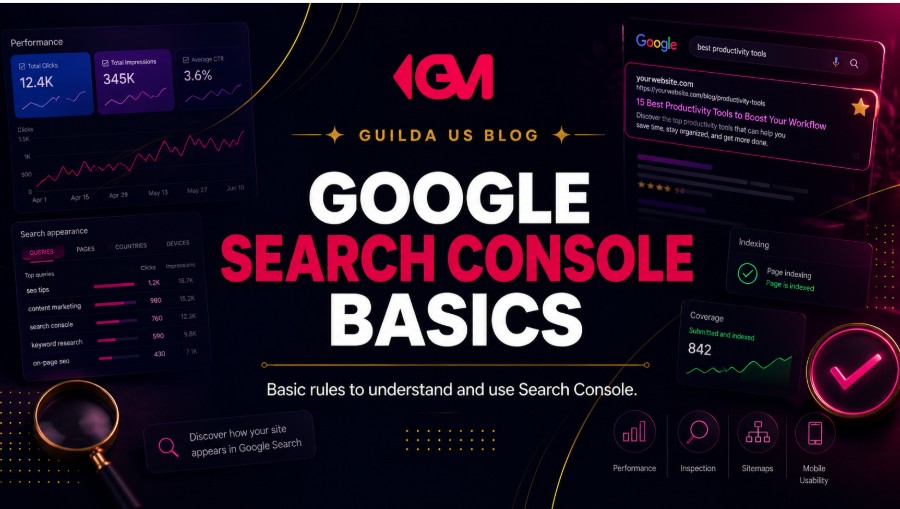
How to Use Google Search Console Correctly: Basic Rules for Business Owners
Knowing how to use Google Search Console is one of the most practical skills a business owner can develop when trying to understand organic visibility. The tool does not tell you everything about your marketing, but it can show where your website is being seen, which pages are earning clicks, which search terms are creating opportunities, and which technical issues may be holding back growth.
The mistake many businesses make is treating Search Console like a scoreboard. They open it, look at clicks, impressions, and average position, then leave without knowing what to do next. The real value is not in watching numbers move. The value is in using those numbers to make better decisions about SEO, content, website structure, local visibility, and conversion.
Search Console is not just an SEO report. It is a diagnostic tool that helps you decide what deserves attention first.
For a small business, local company, service provider, or eCommerce brand, this matters because organic search is often tied to real commercial intent. Someone searching for a service, product, comparison, local provider, or solution may already be closer to taking action than someone casually scrolling through an ad.
What Google Search Console Actually Helps You Understand
Google Search Console helps you understand how Google sees and reports your website in search. It can show performance data, indexing status, page experience signals, sitemap information, manual actions, security issues, and URL-level details.
For business owners, the most useful question is not, “Is my Search Console graph going up?” A better question is, “What does this data reveal about how customers find, ignore, trust, or miss my website?”
Search Console can help you answer questions like:
- Which search queries are already showing my website?
- Which pages are receiving impressions but not enough clicks?
- Which pages are indexed, excluded, or having indexing issues?
- Which pages may need better titles, content, internal links, or technical fixes?
- Whether Google can inspect and understand a specific URL.
- Whether visibility is coming from the right topics, services, products, or locations.
That last point is important. More impressions do not always mean better business opportunities. A service business ranking for vague informational searches may see visibility increase without generating better quote requests. An eCommerce site may receive impressions for broad product terms while its highest-intent category pages remain weak.
Rule 1: Do Not Read Search Console Without Business Context
The first rule of how to use Google Search Console correctly is to connect SEO data to business context. Search Console can show search visibility, but it does not automatically explain lead quality, sales conversations, close rates, customer value, or whether a page is persuasive enough to convert.
For example, a home services company may see impressions growing for “how to fix a leaking pipe,” but the business may actually need more visibility for “emergency plumber near me,” “water heater installation,” or “licensed plumbing company in [city].” The first query may attract people looking for advice. The second group may be closer to calling.
A better way to read the data
When reviewing Search Console, separate searches into three groups:
- Brand searches: People already looking for your business by name.
- Commercial searches: People comparing, evaluating, or looking to buy.
- Informational searches: People researching, learning, or trying to understand a problem.
All three can matter, but they should not be judged the same way. Brand searches show recognition. Commercial searches often reveal lead generation potential. Informational searches can build authority, but they need a clear path to the next step.
Rule 2: Understand Clicks, Impressions, CTR, and Average Position Before Reacting
The Performance report is usually the first area business owners open. It shows clicks, impressions, click-through rate, and average position. These are useful, but they are often misunderstood.
| Metric | What it means | How to use it strategically |
|---|---|---|
| Clicks | How many visits came from Google Search results. | Look for pages and queries already bringing traffic, then ask whether that traffic can become leads or sales. |
| Impressions | How often your site appeared in search results. | Use impressions to find visibility opportunities, especially pages that appear often but earn few clicks. |
| CTR | The percentage of impressions that became clicks. | A low CTR may suggest weak titles, weak meta descriptions, poor search intent alignment, or uncompetitive positioning. |
| Average position | The average ranking position across searches and appearances. | Use it as a directional signal, not a perfect ranking report. Segment by query and page before deciding what to fix. |
A common mistake is reacting to one metric in isolation. High impressions with low clicks can be a title problem, but it can also mean the page is appearing for searches that are not a strong match. A drop in average position may matter, but it may also be caused by a broader mix of queries. A rise in clicks is positive, but it should still be compared with lead quality and conversion behavior.
Rule 3: Start With Pages, Not Just Keywords
Many business owners open the Queries tab first because keywords feel familiar. That is useful, but pages often tell a clearer business story.
A page is where search intent, content quality, trust signals, internal linking, calls to action, and conversion all meet. If a service page is getting impressions but not clicks, the title and search positioning may need work. If it gets clicks but no leads, Search Console alone cannot solve the problem. You may need to review the page experience, offer clarity, form friction, reviews, proof, and calls to action.
What to check in the Pages report
- Which pages get the most clicks?
- Which pages get many impressions but weak CTR?
- Which important service or product pages get almost no visibility?
- Which blog posts attract traffic but do not support a next step?
- Which location or service area pages are missing from meaningful search visibility?
For a local business, this can reveal whether Google is mostly showing the homepage, blog posts, service pages, or location pages. For an eCommerce site, it can reveal whether category pages or product pages are actually earning search visibility. For a service provider, it can show whether high-value service pages are being found at all.
Rule 4: Treat Indexing Issues as Priority Signals, Not Panic Alerts
The Page Indexing report can look intimidating because it shows indexed and non-indexed URLs. Not every excluded URL is a problem. Some pages should not be indexed, such as duplicate URLs, admin pages, thank-you pages, filter variations, or low-value internal URLs.
The real question is whether your important commercial pages are indexed and eligible to appear in search. If your main service page, product category page, location page, or conversion-focused landing page is not indexed, that deserves attention.
Indexing issues that deserve a closer look
- Important pages marked as not indexed.
- Pages blocked by robots.txt when they should be visible.
- Pages accidentally marked noindex.
- Canonical issues pointing Google to the wrong version of a page.
- Soft 404 or not found issues affecting pages that should exist.
- Duplicate content patterns that confuse which page should rank.
Indexing is not the same as ranking. A page can be indexed and still perform poorly. But if a key page is not indexed, SEO work on that page may not produce meaningful search visibility until the underlying issue is fixed.
Rule 5: Use URL Inspection When One Page Really Matters
The URL Inspection tool is useful when you need to understand one specific page. Instead of guessing whether Google can access or understand the URL, you can inspect it and review details about indexing, canonical status, crawl information, structured data, and live test results.
This is especially useful after publishing or updating an important page, such as a new service page, a location page, a high-value blog post, a product category, or a landing page built to support lead generation.
When to inspect a URL
- You published a new page and want to confirm Google can discover it.
- An important page is not appearing in search as expected.
- You changed a page title, content structure, canonical tag, or indexing setting.
- A page has a reported indexing issue and you need to understand why.
- You suspect Google is seeing a different version of the page than users see.
After fixing a meaningful issue, you can request indexing. This should be used carefully. Requesting indexing repeatedly does not make Google process the page faster, and it should not replace a clean website structure, internal links, XML sitemap, and technically sound pages.
Rule 6: Do Not Confuse SEO Visibility With Website Conversion
Search Console can show whether people saw and clicked your pages in Google Search. It does not show whether those visitors trusted you, filled out a form, called your business, booked a consultation, added a product to cart, or became customers.
That is why Search Console should be paired with conversion analysis. A page with growing clicks but weak leads may not need more SEO first. It may need clearer messaging, stronger proof, better calls to action, faster load time, simpler forms, stronger reviews, or a better offer structure.
| Search Console signal | Possible SEO issue | Possible conversion issue |
|---|---|---|
| High impressions, low clicks | Weak title, poor search intent match, low ranking, unappealing snippet. | The offer may not be clear enough before the click. |
| Clicks increasing, leads flat | Traffic may be coming from low-intent queries. | The page may lack trust signals, clear CTA, proof, or mobile usability. |
| Important page has no impressions | Indexing, internal linking, content depth, or keyword targeting may be weak. | The page may also fail to explain the service in a way buyers understand. |
| Traffic depends heavily on blog posts | Commercial pages may not be strong enough. | Blog content may not guide readers toward services, products, or next steps. |
This is where many businesses lose momentum. They keep publishing content or buying traffic when the actual problem is that their website does not help interested visitors take the next step.
Rule 7: Use Search Console to Prioritize SEO Work, Not Create Random Tasks
A healthy SEO strategy is not built by fixing every warning, rewriting every title, or chasing every keyword. Search Console should help you prioritize what can create the most meaningful business improvement.
A simple prioritization framework
- Protect what already works: Identify pages that bring valuable clicks and make sure they remain technically healthy, updated, and conversion-focused.
- Improve high-impression pages: Find pages that appear often but do not earn strong clicks. Review titles, intent alignment, and page positioning.
- Fix important indexing problems: Focus on valuable pages that should be searchable, not harmless excluded URLs.
- Strengthen missing commercial pages: If core services, locations, or products are not visible, create or improve pages around those topics.
- Connect traffic to conversion: Make sure pages with search visibility have clear next steps, trust signals, and strong user experience.
This approach is more useful than simply asking, “How do we get more traffic?” Better traffic matters. Better pages matter. Better conversion paths matter. Search Console can help you find where those priorities overlap.
How to Use Google Search Console for Local Businesses
For local businesses, Search Console should be reviewed alongside Google Business Profile, Google Maps visibility, reviews, and website conversion. Local SEO is rarely about one isolated factor. A customer may find your business in Maps, compare reviews, open your website, check service details, and decide whether to call.
In Search Console, local businesses should pay close attention to service queries, location modifiers, city names, “near me” style searches, and pages connected to high-value services. The goal is not only to appear more often. The goal is to appear for the searches that can turn into calls, quote requests, appointments, or store visits.
Local business checks to run monthly
- Are your main service pages getting impressions?
- Are people finding you with city, neighborhood, or service area terms?
- Do branded searches increase after campaigns, referrals, or offline activity?
- Are blog posts supporting service pages through internal links?
- Do your most visible pages clearly explain location, services, proof, and next steps?
If your business depends on local demand, Guilda Marketing can help you connect Search Console insights with a broader local business marketing strategy that considers visibility, trust, website structure, and lead generation together.
How to Use Google Search Console for Service Providers
Service providers should use Search Console to understand whether their website is visible for the services they actually want to sell. A law firm, consulting company, clinic, contractor, or B2B service provider may not need massive traffic. They often need more qualified visibility for high-intent searches.
This is why the Pages report is so useful. If your blog posts get traffic but your service pages do not, your SEO strategy may be attracting attention without building enough commercial demand. If your service pages get impressions but weak CTR, your positioning in search may not be strong enough. If they get clicks but no inquiries, your conversion path may need work.
Service provider checks to run monthly
- Which service pages receive impressions for commercial queries?
- Which service pages are missing from Google visibility?
- Are your page titles specific enough to attract the right buyer?
- Do visitors have a clear reason to trust your business after the click?
- Is there a clear next step, such as a consultation, quote request, call, or contact form?
For service businesses, Search Console data becomes more valuable when it is connected to positioning, website messaging, lead quality, and follow-up. That is where service business lead generation needs more than traffic alone.
Warning Signs Your Search Console Data Needs Attention
Not every fluctuation is a crisis. Search demand changes, rankings move, pages age, and reports can shift as Google updates how results are displayed. However, some patterns deserve closer investigation.
- A sudden drop in clicks across many important pages.
- Important service, product, or location pages losing impressions over time.
- High impressions but consistently low CTR on valuable pages.
- A large number of important URLs not indexed.
- Search visibility mostly coming from irrelevant or low-intent queries.
- Traffic growth without any improvement in calls, forms, sales, or qualified leads.
- Pages ranking for topics that do not match what your business wants to sell.
The last warning sign is easy to miss. A business can grow organic traffic and still attract the wrong audience. Search Console can help reveal that gap before more content or ad spend is added on top of a weak strategy.
What Not to Do Inside Google Search Console
Search Console becomes less useful when it turns into a place for random reactions. The tool is powerful, but it should not replace strategy, technical judgment, or conversion analysis.
Avoid these common mistakes
- Do not panic every time average position changes.
- Do not assume every non-indexed URL is a problem.
- Do not rewrite every page title just because CTR is low.
- Do not request indexing repeatedly as a substitute for fixing real issues.
- Do not judge SEO only by total clicks without checking query quality.
- Do not ignore the difference between traffic and business outcomes.
- Do not treat Search Console as your only marketing analytics tool.
The best Search Console reviews are calm, structured, and connected to business priorities. You are not looking for every possible problem. You are looking for the problems that affect visibility, trust, qualified traffic, and conversion.
A Simple Monthly Search Console Checklist
Most small businesses do not need to check Search Console every day. A monthly review is often enough to identify useful patterns, unless you recently migrated your website, launched new pages, fixed technical issues, or experienced a sudden traffic drop.
Monthly review checklist
- Review total clicks and impressions compared with the previous period.
- Check which pages gained or lost the most clicks.
- Review queries for commercial, local, product, or service intent.
- Find pages with high impressions and low CTR.
- Check whether important pages are indexed.
- Inspect any important URL with unexpected indexing or visibility issues.
- Compare organic visibility with leads, calls, form submissions, or sales data.
- Choose one to three priority actions for the next month.
That final step matters. A Search Console review should produce decisions, not just observations. For example, you might decide to improve one high-impression service page, fix indexing on an important location page, add internal links from relevant blog posts, or rewrite a title that does not match buyer intent.
Search Console Questions Business Owners Should Ask
A useful Search Console review starts with better questions. Instead of looking at reports randomly, ask questions that connect SEO to business growth.
- Are we visible for the services, products, and locations that matter most?
- Are our most important pages getting impressions?
- Are people clicking when they see us in search results?
- Are traffic gains connected to better leads, calls, or sales?
- Are technical issues blocking valuable pages from being indexed?
- Are we publishing content that supports commercial pages or just generating traffic?
- Which pages deserve improvement before we create more content?
These questions help shift the conversation from “How much traffic did we get?” to “Is our search visibility helping the business move in the right direction?”
When Search Console Is Not Enough
Search Console is valuable, but it is not a complete growth system. It does not replace Google Analytics, CRM data, call tracking, heatmaps, user testing, competitive analysis, content strategy, or conversion rate optimization.
If a business wants better results, Search Console should be one part of a larger diagnostic process. SEO visibility, website conversion, local trust, paid traffic, follow-up, and positioning all influence whether digital marketing turns into revenue opportunities.
You may need strategic help when:
- You see SEO data but do not know what to prioritize.
- Your website gets traffic but not enough leads.
- Important pages are not indexed or not gaining visibility.
- Your content attracts visitors who are not a strong fit.
- Your local competitors seem to appear more consistently in Google.
- Your SEO, website, ads, and sales process feel disconnected.
In those situations, the issue is rarely just one report. It is usually the connection between visibility, messaging, page quality, trust, technical health, and conversion.
How to Turn Search Console Data Into Better Growth Decisions
The best way to use Search Console is to treat it as a decision-making tool. It can show where your website is visible, where important pages are weak, where technical problems may be blocking progress, and where search demand does not match your current website structure.
For business owners, the goal is not to become an SEO technician. The goal is to understand enough to ask better questions, avoid wasted effort, and prioritize the work that can support stronger visibility, better traffic, and more qualified opportunities.
If your Search Console data shows traffic without leads, important pages without visibility, indexing problems, or unclear SEO priorities, Guilda Marketing can help you interpret the data and build a stronger digital strategy. You can talk to Guilda Marketing to get a clearer view of what needs to be fixed first.
Want to apply this to your business?
Tell us about your business and we will review your digital presence, growth stage and the biggest opportunities for your next marketing move.